

Why You Need a Warzone 2.0 Optimizer?
Warzone streams huge world tiles while tracking many active players. CPU time gets fought over. VRAM pressure rises fast.
Background apps quietly chew cycles at the worst moment. Hone reduces that noise so the renderer keeps breathing and your frame pacing stays even.
One-Click Warzone FPS Boost
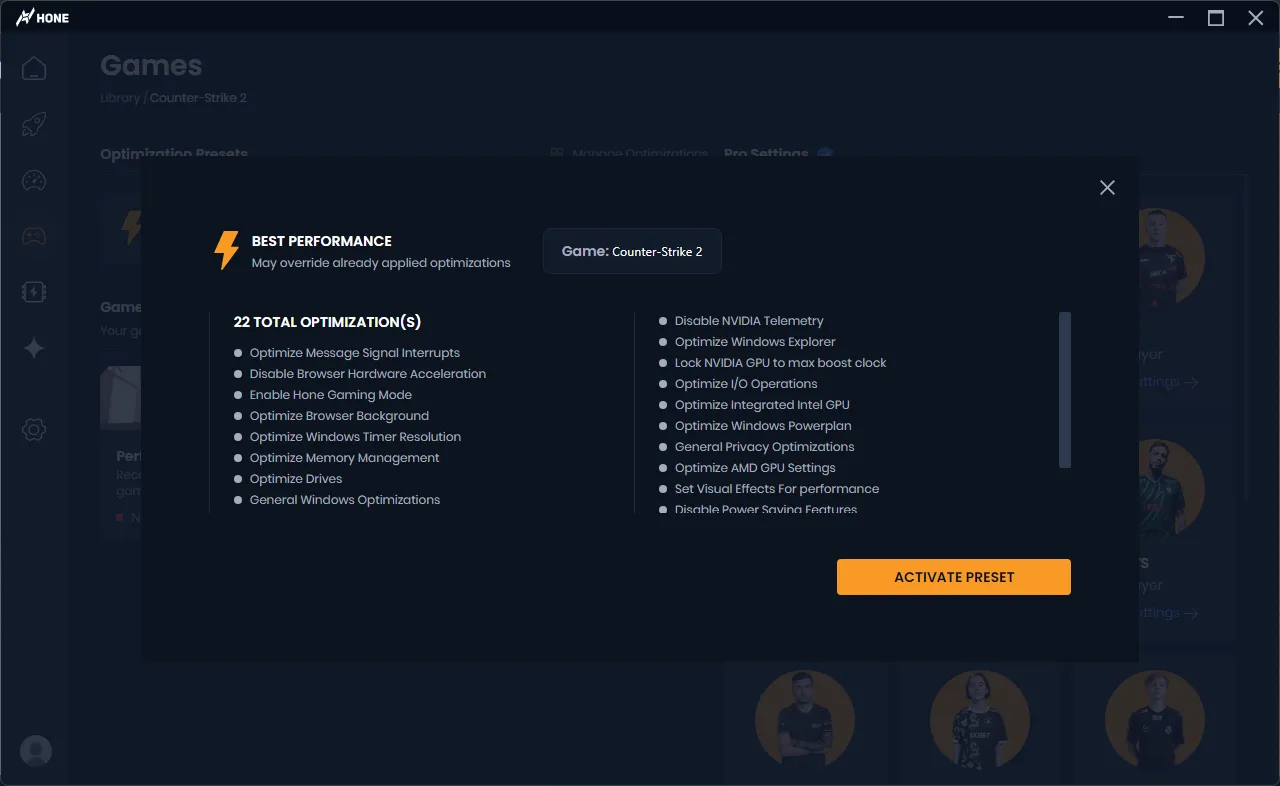
You have tried every Reddit ritual. Hone fires up and just works:
- 🧹 Auto-close resource hogs so CPU time goes to Al Mazrah, not your browser
- ⚡ Re-clock system timers to cut input delay and tighten aim consistency
- 🎯 Stabilize USB polling for 1000 Hz mice and high-Hz controllers
- 🛠️ Trim DX12 overhead and shader stalls for flat frametimes during rotations
- 🧠 memory optimizations to prevent texture streaming spikes on high-res packs
Looking for a game boost Warzone mains can trust? This is it.
Benchmarked: Boost FPS In Warzone Up To 25%
More frames help. Flatter frametimes matter even more. Lower latency matters most.


Warzone Boost = More K/D
Higher FPS and steadier frametimes amplify fundamentals:
- Tracking stays sticky through plates and slide-cancels
- Lower input latency keeps recoil control predictable
- Smooth streaming avoids the hitch right as you ego-chow a head-glitch
Hone’s network engine reduces OS jitter, favors low-latency UDP paths to regional gateways, and tames bufferbloat from background apps.
You see peeks now, not 80 ms later.
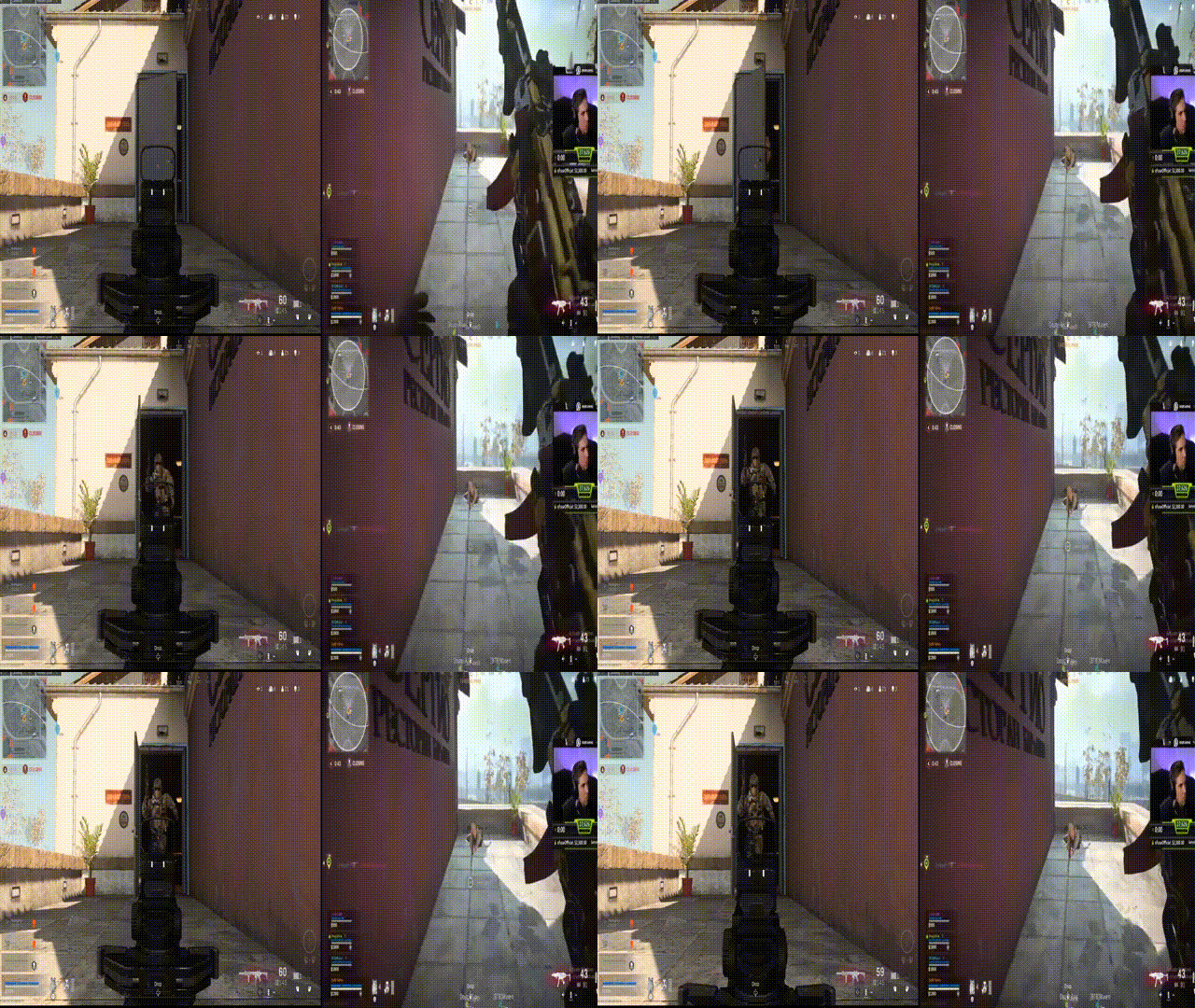

The Game Booster Warzone Players Asked For
Hone detects Warzone 2.0 and applies a tuned profile. It updates fast when Windows or drivers change, so yesterday’s optimization does not break today’s patch.
A live overlay shows FPS, 1% lows, and latency, flagging dips before they cost you a gunfight.
WHAT'S THE DIFFERENCE?
With better framerates and less input lag, you can also expect to enhance your skill-ceiling. Being good at competitive shooters involves much more than just mechanical skill. While mechanical skill can help you achieve that desired victory, the stats provided below showcase how improving your FPS and lower latency can help you in improving your performance in a game.
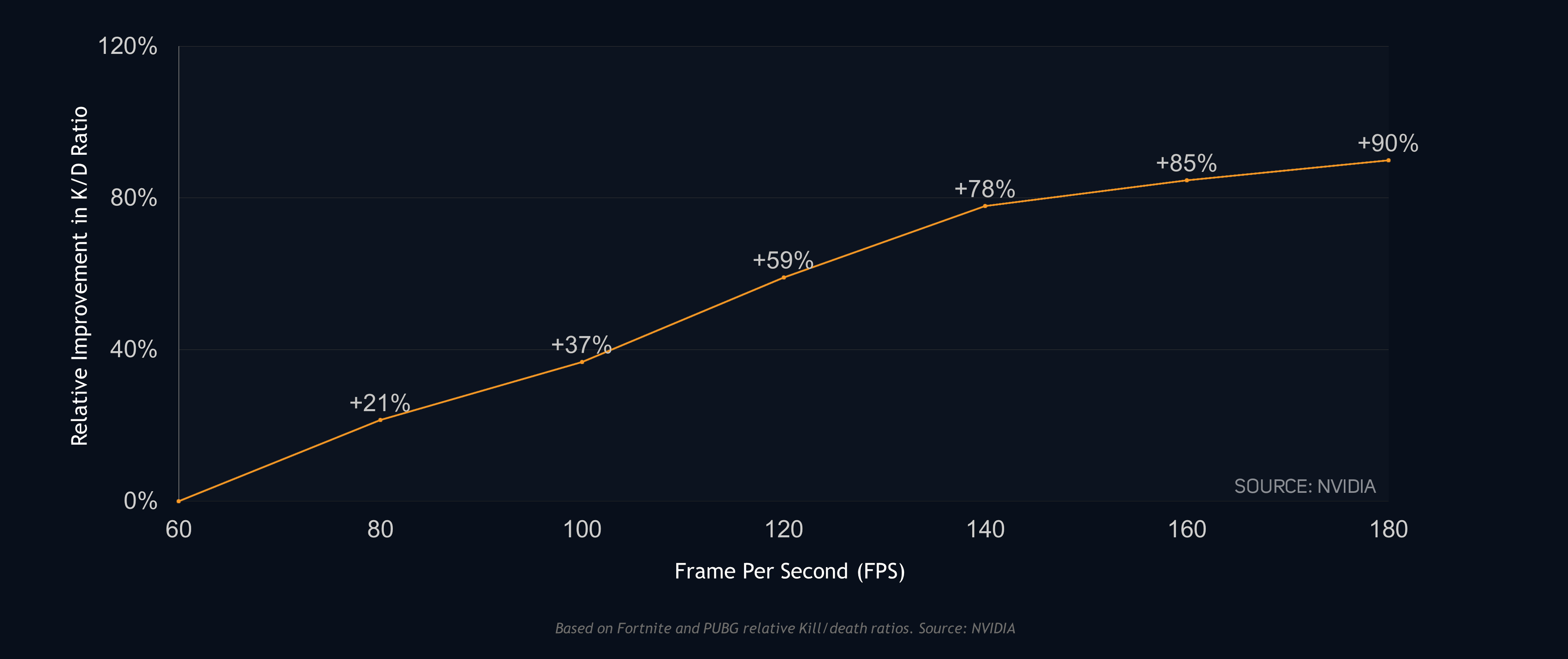
By no means does this mean it's bound to increase your skills. But applying the above science to this correlation, we see a lot of evidence to support the claim that higher FPS and lower system latency lead to landing shots more frequently - boosting K/D ratios.
Crush Ping Before It Crushes You
Better framerates and less input lag raise your ceiling. Skill and gamesense still win lobbies.
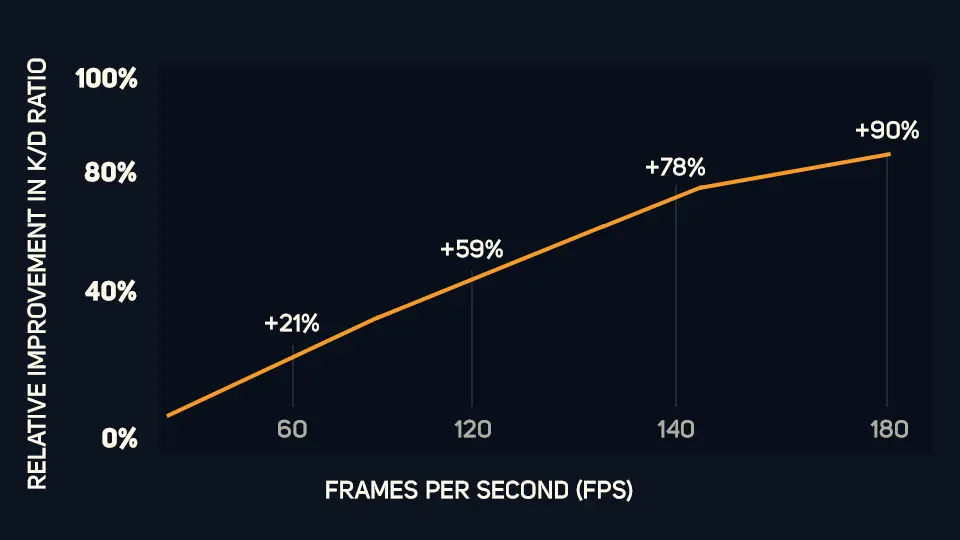
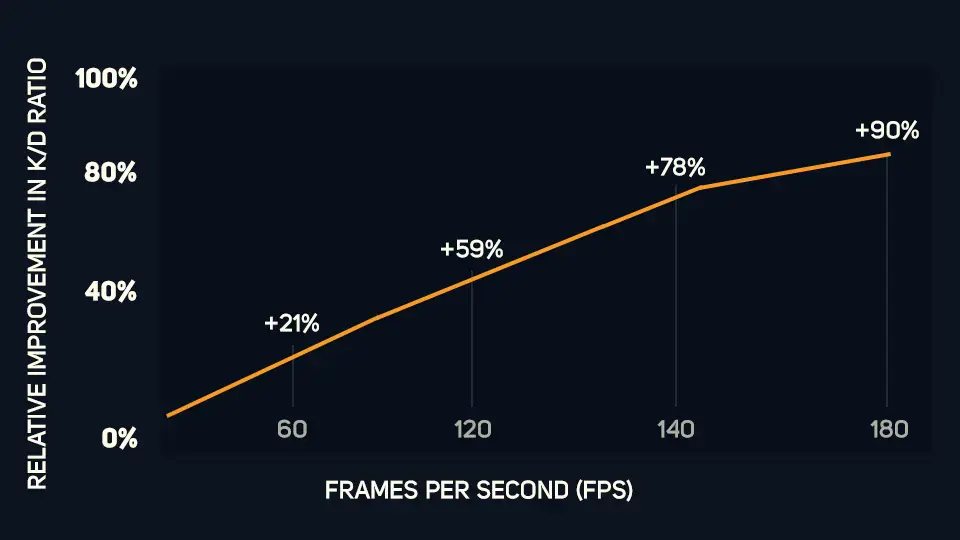
The pattern is clear though: higher FPS and lower system latency correlate with more first-shot connections, steadier recoil, and a healthier K/D.
WHAT'S THE DIFFERENCE?
With better framerates and less input lag, you can also expect to enhance your skill-ceiling. Being good at competitive shooters involves much more than just mechanical skill. While mechanical skill can help you achieve that desired victory, the stats provided below showcase how improving your FPS and lower latency can help you in improving your performance in a game.
By no means does this mean it's bound to increase your skills. But applying the above science to this correlation, we see a lot of evidence to support the claim that higher FPS and lower system latency lead to landing shots more frequently - boosting K/D ratios.
WHAT'S THE DIFFERENCE?
With better framerates and less input lag, you can also expect to enhance your skill-ceiling. Being good at competitive shooters involves much more than just mechanical skill. While mechanical skill can help you achieve that desired victory, the stats provided below showcase how improving your FPS and lower latency can help you in improving your performance in a game.
By no means does this mean it's bound to increase your skills. But applying the above science to this correlation, we see a lot of evidence to support the claim that higher FPS and lower system latency lead to landing shots more frequently - boosting K/D ratios.
Frequently asked questions
Yes. The built-in pack elevates Warzone’s threads, shapes the render queue, blocks high-impact overlays, and applies graphics presets for 1080p, 1440p, and 4K.
Often the most. Killing background services and smoothing GPU scheduling produces the largest percentage gains on integrated graphics and mid-tier cards.
Absolutely. Hone never touches game memory or packet payloads. Changes live at the system level.
Open Hone → Apply Recommended Optimizations. You can also fine-tune individual settings if you prefer.
Yes. Hone operates at the OS layer and plays nicely with in-game latency features.
Yes. compatibility design coexists with OBS, Discord, and other overlays without breaking capture quality.

Say goodbye to expensive PC upgrades.
Hone provides you the tools to achieve ultimate gameplay, boost FPS by rescuing your PC from bloated software.